Marteso Docs
AI metadata generation
Use Marteso to draft App Store titles, subtitles, keyword fields, and descriptions, then approve and apply them to App Store Connect.
What Marteso generates
- Title - up to 30 characters. Balances brand clarity with keyword relevance.
- Subtitle - up to 30 characters. Communicates the core use case.
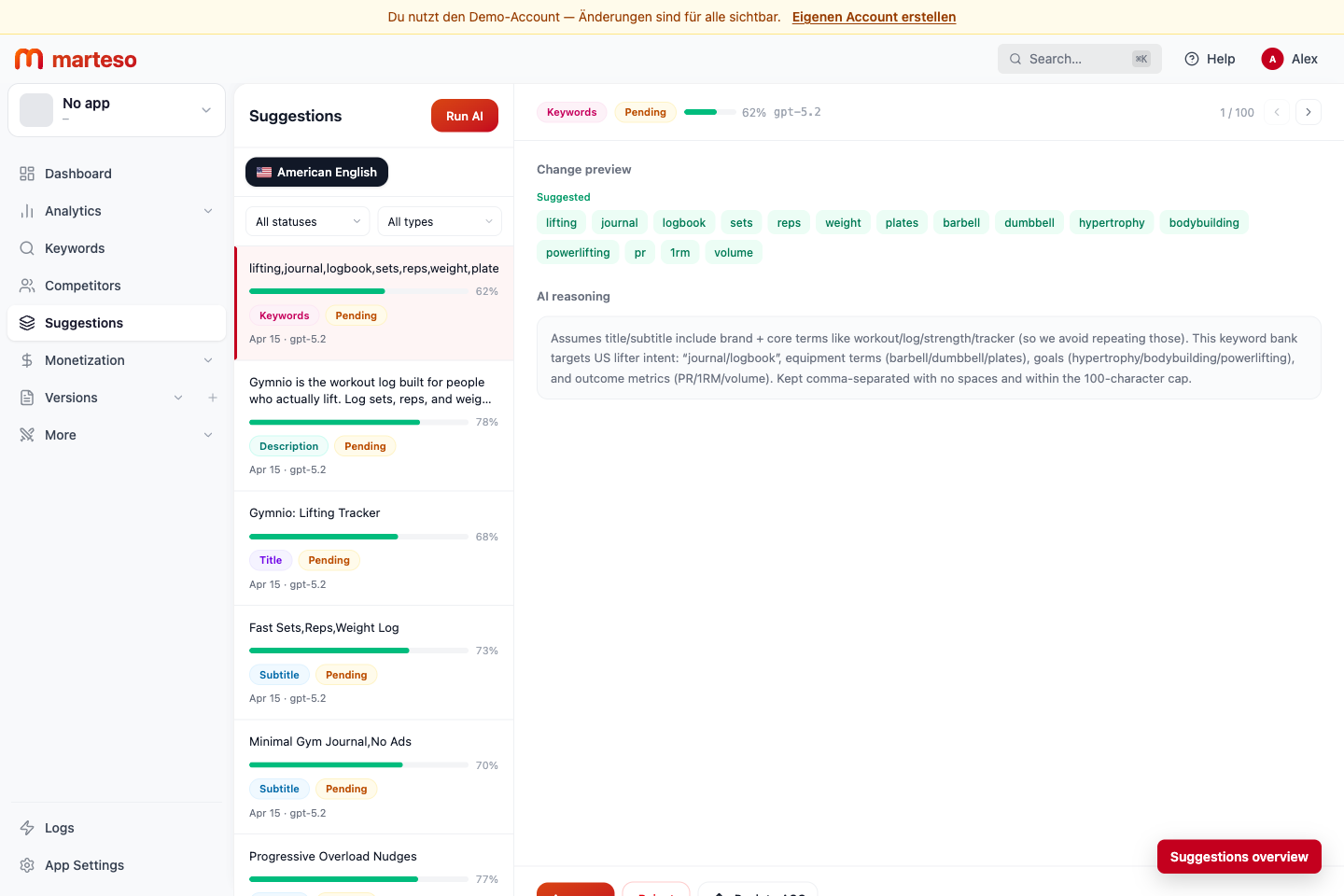
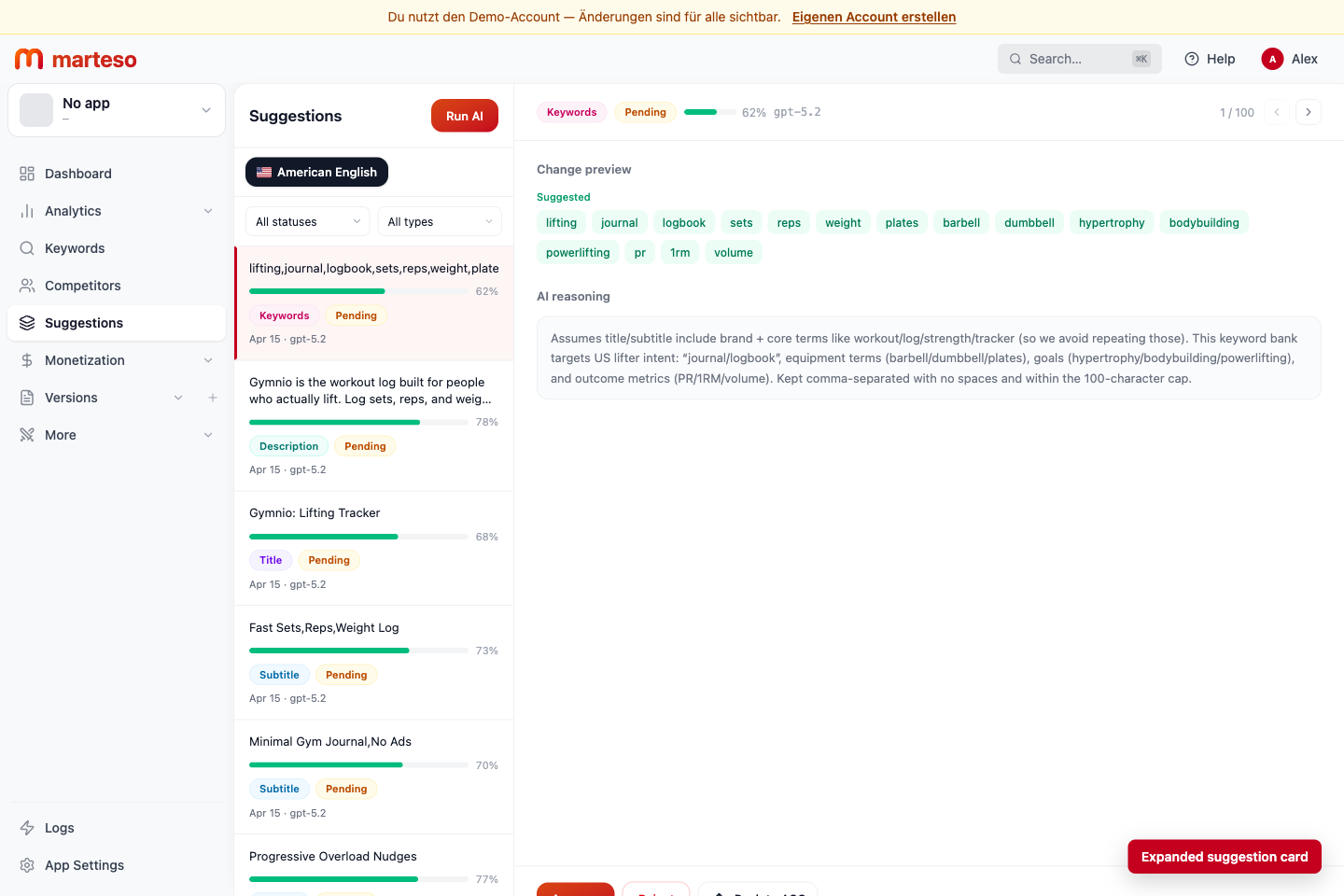
- Keyword field - up to 100 characters, comma-separated. Expands your searchable surface without repeating terms already in title or subtitle.
- Description - up to 4,000 characters. Put the hook in the first 250 characters.
Workflow
- Open your app in Marteso and go to Suggestions.
- Select the locale you want to optimize, such as en-US.
- Review each pending suggestion, including its suggested value, confidence score, and reasoning.
- Approve suggestions that fit your product and positioning.
- Reject suggestions that are off-brand or inaccurate.
- Apply approved suggestions to your App Store version in Version Management.
Review checklist before approving
- Title sounds like a product, not a keyword list.
- Subtitle communicates one clear benefit.
- Keyword field has no terms already in the title or subtitle.
- Description opens with a concrete hook, not a feature list.
- No unverifiable claims unless you can substantiate them.
- No competitor brand names in the keyword field.
Character limits
| Field | Limit | Notes |
|---|---|---|
| Title | 30 characters | Includes spaces |
| Subtitle | 30 characters | Includes spaces |
| Keywords | 100 characters | Comma-separated |
| Description | 4,000 characters | First 250 characters carry the hook |
| Promotional text | 170 characters | Can change without a new review |
Tips
- Optimize your primary locale first.
- Use auto-translate in Version Management after the source copy is approved.
- Regenerate if something is off, especially after changing your tracked keywords.
- Do not repeat title or subtitle terms in the keyword field.